faceRecogDaemon



- faceRecogDaemon
description
Just started as a little application for easy managing face recognition outputs.
Problem
You have a video/ image stream of a camera or something else. And you want to analyse the images for known faces. And get needed infos for further triggering for e.g. a smart home system to open a door or similar things.
Possible solution
face recognition daamon ;-)
Features
user side
- bind with image streams or NEW with rtsp stream, see config
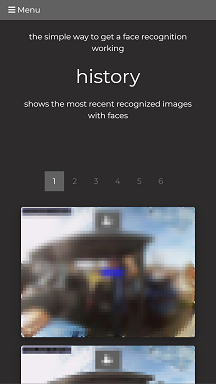
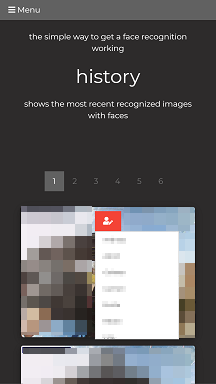
- overview of recent historic recognized faces
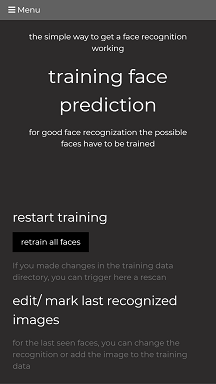
- change seen faces to other persons for next training
- change seen faces to new persons for next training (coming soon)
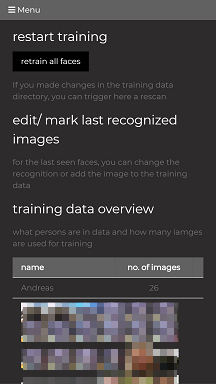
- manage training data
- remove images from person folder
- move images to other persons
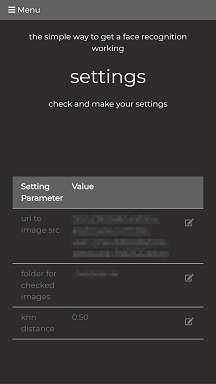
- manage settings (editing - coming soon)
- show api information
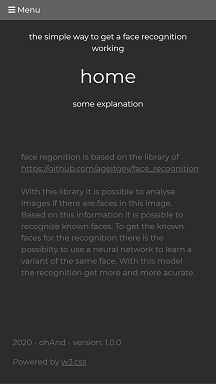
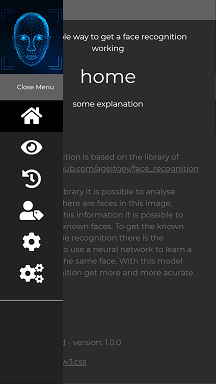
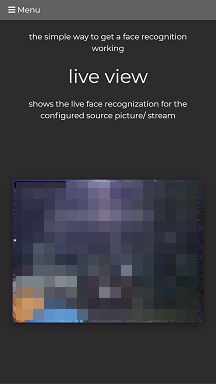
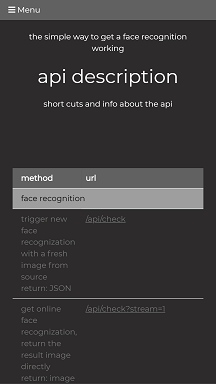
screenshots of client:
technical side
- for the recognition itself the library of https://github.com/ageitgey/face_recognition is used
- api for all stuff provided
- client in hmtl/ javascript full responsive and prepared for web app
- 3-tier architecture - file-db, backend/ middleware, client ( not fully at this time ;-) )
- “file-db” - primitve folder driven training data for images + archive for recognized faces
- backend/ middleware - serves the functions over an api
- client - html/ javascript web client prepared for a web app
installation
The application is written in Python. So you need an already installed environment as described here: https://www.python.org/about/gettingstarted/ - needed version >= 3.6
If you running an ubuntu maybe you need for compiling dlib (only one time)
sudo apt install python3.7-dev
download & start
Donwload ‘face recognition daemon’ application the last release at https://github.com/ohAnd/faceRecogDaemon/releases
Update pip to the latest
python -m pip3 install --upgrade pip
during the installation dlib will be installed (need’s some time for compiling ;-) )
intall needed modules
pip3 install -r requirements.txt
for quick start:
- create a path for known faces outside the app directory e.g. /path/to/knownFaces and put the path to config see below
- inside this path create a dirextory for each person you want to recognize
- in this subfolders you have to put some images for training
- images must have only one face showing, otherwise it it will be ignored by training
  Structure:
        </path/to/knownFaces>/
        |-- <person1>/
        |   |-- <somename1>.jpeg
        |   |-- <somename2>.png
        |   |-- ...
        |-- <person2>/
        |   |-- <somename1>.jpeg
        |   |-- <somename2>.jpeg
        |-- ...
- create a archive path outside the app directory e.g. /path/to/imageArchive and put the path to config see below
start the server (service installation coming soon)
bash://<paht/to/your/download>> ./faecRecogDaemon.py
configuration
create a config file in application root directory
touch config.ini
with following content
    # config file for face recog daemon
    [webserver]
    Port: 5001

    [imageSource]
    urlToImageSrc = <your_path_to_image_src> # e.g. http://<urlTocam>:port/image.cgi
    // urlToImageSrc = <your_path_to_image_src> # e.g. rtsp://user:pass@<ip-address>:<port>/media.amp

    [faceRecognition]
    knnDistance = 0.50

    [directories]
    pathToKnownFaces = <your_path>
    pathToImageArchive = <your_path>
API
face recognition
/api/check
trigger new face recognization with a fresh image from source
return: JSON
response
with response code 200, following json will be returned ```json { "checkDetails": { "NumberOfFaces": 0, "imageToCheck": "http://return: image ___ ### training #### /api/training?getdata=true get all training src data as summary in JSON
response
with response code 200, following json will be returned ```json { "persons": { "(default limited to 10, if less images available it is shortend) #### /api/get_recent_image?json&limit=30 get an overview of recent images in JSON with given limit of resopnse
e.g. 30 entries (hard limited to 1000) #### /api/get_recent_image?number=0 get most recent image - higher number means older image #### /api/get_recent_image?filename=name get most recent image with new face recognition fpr filename #### /api/get_recent_image?number=0&original=true get most recent image without image manipulation (timestamp face frame/ naming) ___ ### images #### /api/get_image?file=name get image file with name ___ ## Links source for used libs: - https://github.com/ageitgey/face_recognition - https://github.com/ageitgey/face_recognition/blob/master/examples/face_recognition_svm.py - https://face-recognition.readthedocs.io/en/latest/face_recognition.html used images: - https://www.freepik.com/premium-vector/biometric-person-identification-facial-recognition-concept-futuristic-low-polygonal-human-face_4847694.htm - ...